
How to install Hirschmann MS20/MS30 series industrial Ethernet switches?
How to install Hirschmann MS20/MS30 series industrial Ethernet switches?
Overview
The installation user manual for Hirschmann MS20/MS30 series industrial Ethernet switches (Release 14 03/2023 version) covers four major modules: equipment overview, safety specifications, installation process, basic configuration, maintenance, and technical parameters. It provides detailed instructions on the hardware composition of the equipment (basic module, media module, SFP transceiver, etc.), installation steps (DIN rail installation, wiring, DIP switch configuration), safety compliance requirements (ATEX, IECEx and other hazardous environment certifications), and technical parameters (power supply range of 18-60V DC, working temperature -40 ℃~+70 ℃, port type supporting 10/100/1000Mbit/s twisted pair/fiber ports). It also offers a global technical support channel to provide comprehensive guidance for equipment deployment and operation in industrial scenarios.
Preparation before installation( ✅ Complete one and check one
Inspection item operation content verification standard remarks
1. Check the integrity of the packaging: basic module x 1, terminal block (4-pin x 2/6-pin x 1), label x 1, installation manual x 1. There are no missing or damaged items during transportation (such as shell deformation or port damage). If accessories are missing, contact the supplier for replacement
2. Equipment model matching confirmation: The product code is consistent with the requirements (key verification: number of ports, temperature range, power supply range). The 6th and 7th digits of the code are equal to the required number of ports (08/16/24); 10th position=temperature range (S/T/E); 11th position=Power supply range (A/C/E) Example: MS30-1602-T-C-H corresponds to 16 100Mbps+2 1G, -40~70 ℃, 18-60V DC
3. Installation environment confirmation: 1. Environmental temperature: meets the equipment temperature level (S: 0~60 ℃; T/E:-40~70℃); 2. Installation location: well ventilated, with a reserved space of ≥ 10cm above and below; 3. Hazardous environment: If it is an explosion-proof scenario, the equipment needs to be labeled with ATEX/IECEx. The environment should be free of condensation and strong electromagnetic interference; Dangerous environments must meet Class I Division 2/ATEX 2G requirements and avoid installation near heat sources (such as frequency converters) or areas with high dust
4. Essential tools and materials preparation: Phillips screwdriver, crimping pliers, wire stripping pliers; Materials: Cat5e and above twisted pair cables, fiber optic jumpers (matching port types), copper wires (≥ 1.5mm ²), and cable tie wires that meet specifications (75 ℃ copper wires); The type of fiber optic jumper is the same as SFP (such as LC single-mode jumper with SM SFP). Explosion proof tools are required for hazardous environments
5. Power supply preparation: Confirm that the power supply meets the requirements: 1 Voltage range (A: 18-32V DC; C/E: 18-60V DC); 2. Redundant power supply requires 2 independent power sources; 3. Class 2 power supplies with overcurrent protection (compliant with equipment fuse specification: 5A) are required in North America. DC power supplies need to distinguish between positive and negative poles, while AC power supplies need to be isolated and grounded
Hardware installation process (operated in sequence)
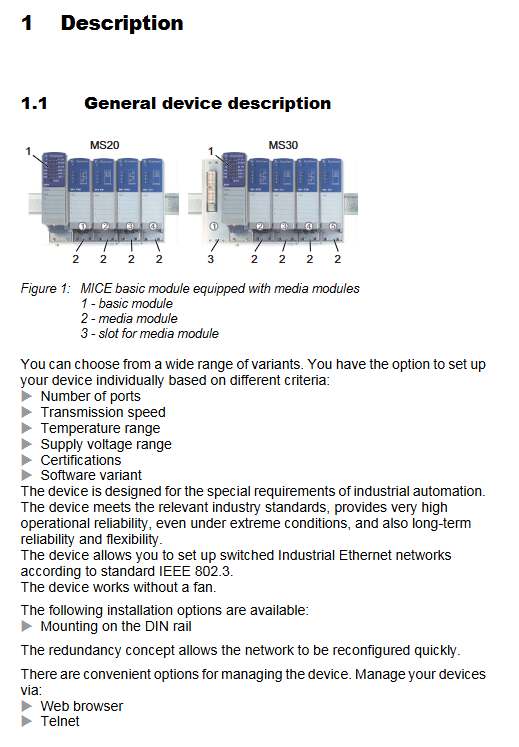
(1) Installation of media module/SFP transceiver
Common errors in step operation content verification standards
1. Remove the protective cap of the media module/SFP. The protective cap should not be damaged, and the port should be free of dust/metal debris. It is forbidden to touch the end face of the fiber optic port with hands
Align the basic module slot and insert the media module. Tighten the four corner screws to fully secure the module buckle. If the screws are not loose, install the module in the order of "left to right" to avoid slot misalignment
3 SFP transceivers are inserted into the gigabit slot, and the locking buckle makes a "click" sound when closed, making it difficult to easily remove. Only Hirschmann original SFP is used (third-party SFP may not be compatible)
(2) DIN rail installation
Step operation content verification standard safety precautions
1. Slide the top buckle of the device to a 35mm DIN rail (compliant with DIN EN 60715) and ensure that the buckle fully fits the rail without any looseness. The rail should be securely fixed to prevent the device from shaking
Press the bottom lock of the device and confirm that the device is fixed. Pull the device firmly without displacement. During installation, avoid squeezing the port and terminal block
(3) Grounding operation
Key requirements for step operation content verification standards
1. Choose grounding method: ① DIN rail grounding (priority); ② Special grounding screw grounding resistance ≤ 4 Ω. In hazardous environments, dual grounding (rail+screw) is required
If using screws for grounding, connect the grounding wire (with the same specifications as the power supply wire) and ensure that the grounding wire is not loose and in good contact with the shell. The grounding wire should not be laid in the same bundle as the power wire
- OMRON
- ABB
- General Electric
- EMERSON
- Honeywell
- HIMA
- ALSTOM
- Rolls-Royce
- MOTOROLA
- Rockwell
- Siemens
- Woodward
- YOKOGAWA
- FOXBORO
- KOLLMORGEN
- MOOG
- KB
- YAMAHA
- BENDER
- TEKTRONIX
- Westinghouse
- AMAT
- AB
- XYCOM
- Yaskawa
- B&R
- Schneider
- KONGSBERG
- NI
- WATLOW
- ProSoft
- SEW
- ADVANCED
- Reliance
- TRICONEX
- METSO
- MAN
- Advantest
- STUDER
- DANAHER MOTION
- Bently
- Galil
- EATON
- MOLEX
- DEIF
- B&W
- ZYGO
- Aerotech
- DANFOSS
- Beijer
- Moxa
- Rexroth
- Johnson
- WAGO
- TOSHIBA
- BMCM
- SMC
- HITACHI
- HIRSCHMANN
- Application field
- XP POWER
- CTI
- TRICON
- STOBER
- Thinklogical
- Horner Automation
- Meggitt
- Fanuc
- Baldor
- SHINKAWA
- Other Brands
- UniOP
- KUKA
- Iba
- Beckhoff
- ADLINK
-
 Sigmatek MDD111-1 DIAS Drive Axis Module
 -
 Sigmatek DKL042 05-024-042 Terminal Module
 -
 Sigmatek DM822 Control Module
 -
 Sigmatek CDM167 12-008-167-O Module
 -
 Sigmatek TAE151 Touch Display Unit
 -
 Sigmatek DCC041 SLIDES Module 05-700-041-D
 -
 Sigmatek AKM65M-ANC2GBB0 PM Servo Motor
 -
 Sigmatek ETT221 01-230-221 Operator Terminal
 -
 Sigmatek SLIDES DAM 124 Analog Module
 -
Sigmatek AKM31C-ANCNGBB0 Servo Motor
-
 Mannesmann Demag Sigmatek CP626 Central Unit
 -
 SIGMATEK 0332.554.03 Board 371071000154
 -
 SIGMATEK 12-250-021 Base Plate Back Panel CM5V020
 -
 SIGMATEK DM162 S-DIAS Digital Mix Module
 -
 DEMAG ERGOTECH 061 381 66 Sigmatek 9842.243.02 Circuit Board
 -
 SIGMATEK CP313-1 PLC Module
 -
Sigmatek ETV0551-2 VARAN Touch Terminal
-
 Sigmatek SDM 081 FS S-Dias Safety Module
 -
 DEMAG 05-250-023 Ergotech Motherboard with Sigmatek TMS012
 -
Sigmatek CM5V020 12-250-023-K Wiring Base
-
 Sigma Tek 5000B-37 Attitude Gyro Indicator
 -
 Sigmatek SDD120-2 DIAS Drive
 -
 Sigmatek CME221 Memory Module
 -
 Sigmatek DCP640 DIAS Central Unit
 -
 Sigmatek STO040 Safety Output Module
 -
Sigmatek CET281 Control Panel
-
 Sigmatek CIPC LX800 Demag NC5 CPU
 -
 Sigmatek DKL093 05-024-093 Terminal Module
 -
 Sigmatek AI088 20-009-088 Analog Input Module
 -
Sigmatek CAI888 Analog Input Module
-
SIGMATEK CCA021 12-025-021 Analog Output Module
-
SIGMATEK 1104.579.05 Control Module
-
SIGMATEK SDI100 Digital Input Module
-
 SIGMATEK C-IPC 256MB LX800 Compact Dias
 -
 SIGMATEK 9423.090.02 Control Module
 -
SIGMATEK C-IPC 256 Power Supply 148498
-
 SIGMATEK CAI025 Analog Input Module
 -
 SIGMATEK CTO166 Digital Output Module
 -
 SIGMATEK CP112 20-004-112 Processor Module
 -
SIGMATEK CAI887 12-009-887 Safety Module
-
 Sigma-Tek 4000B-31 Directional Gyro 1U262-002-42
 -
Sigmatek C-IPC 256MB LX800 IPC Controller
-
Sigmatek C-IPC 01-450-031 Industrial PC LX800
-
Sigmatek C-IPC 256 Industrial PC Controller
-
Sigmatek CCP-531 PLC Processor Module
-
Sigmatek CDI163 Digital Input Module
-
 Sigmatek ETV0501 VARAN Terminal 12-230-0501
 -
 Sigmatek CTMS020 C-DIAS Technology Module
 -
 Sigmatek CIV512 VARAN Switch Module
 -
 Sigmatek HU011 20-080-011 Interface Module
 -
SIGMATEK SLIDES DAM 124 Module
-
 SIGMATEK C-IPC 161 01-450-161L Industrial PC
 -
SIGMATEK C-IPC 128MB VIA 733MHz 01-450-024-K
-
 SIGMATEK 12-780-012 R8-IPC Geode LX800 Module
 -
SIGMATEK CAM124 Analog Module
-
 SIGMATEK S1 032-8AF61-R4 EZ Servo Motor
 -
 SIGMATEK CTO163 Digital Output Module
 -
 SIGMATEK CCP082 12-004-082 Processor Module
 -
 SIGMATEK CRCH081 C-DIAS Temperature Module
 -
 SIGMATEK PC322-K 01-310-322-K Industrial PC
 -
SIGMATEK SDD310-2 Servo Drive
-
 SIGMATEK AI084 Analog Input Module
 -
SIGMATEK CRCH081 12-752-081 Temperature Module
-
Sigma-Tek 5000L-4 Attitude Gyro 1U284-001-3
-
 SIGMATEK CM5V020 12-250-023-K Wiring Module
 -
Sigma-Tek 4000H-6 Directional Gyro IU262-035-7
-
 SIGMATEK Dias DCP160 05-004-160 Processor Module
 -
SIGMATEK 0147.395.02 Control Module
-
SIGMATEK A1084 Control Module
-
SIGMATEK DI200 20-006-2000 Digital Input Module
-
Sigmatek DNC115 Encoder Module
-
 Sigmatek DAM122 05-017-122 Analog Module
 -
Sigmatek 9802.289.01 Control Board TA71 Display
-
Sigmatek TO127 20-007-127 Digital Output Module
-
Sigmatek DNC031 05-011-031 Digital Module
-
Sigmatek VI022 20-003-022 Interface Module
-
Sigmatek CAI085 Analog Input Module
-
 Sigmatek CP111 S-DIAS CPU Module
 -
Sigmatek CTMS030 Krauss Maffei Module
-
 Sigmatek CAM123 Control Module
 -
 Sigmatek TAE732-P 01-240-732-P Touch Display Unit
 -
Sigmatek MDM021 Digital Mixed Module
-
Sigmatek DCP642 DIAS Central Unit
-
 Sigmatek CST022 12-014-022 C-DIAS Module
 -
 Sigmatek SRO021 20-893-021 Safety Relay Output
 -
 Krauss Maffei MC5 Control System Sigmatek
 -
 Sigmatek DC061 Module 18-24VDC 300mA
 -
 Herrmann EVT0855 Ultrasonic Welder Touch Panel
 -
Sigmatek CIV521 Control Module 1.4A 2W
-
Sigmatek DDI61 05-006-161 Digital Input Module
-
SIGMATEK ETT312-E Touch Terminal 01-230-312
-
Cessna S3326-1 Sigma Tek 5000B-67 Gyro 1U149-015-9
-
SIGMATEK PS101 Power Supply Module
-
SIGMATEK 0332.554.03 Control Module 371071000154
-
 SIGMATEK ETT312-E Touch Terminal 01-230-312
 -
SIGMATEK CDM163 Control Module
-
 SIGMATEK VSV046 16-023-046 Module
 -
SIGMATEK AM221 20-017-221 Analog Module
-
SIGMATEK CTS051 12-053-051 Control Module
-
SIGMATEK AM221 20-017-221 Analog Module
-
Sigmatek CSDI161 12-891-161 Safety Input Module
-
Sigma Tek 4000C-1 Directional Gyro Indicator
-
Sigmatek ETV0501 12-230-0501 VARAN Terminal
-
Sigmatek DDM165 SLIDES Module
-
Sigmatek N100 20-011-100 Control Module
-
Sigmatek AKM54K-ANC2R-B0 PM Servo Motor
-
Sigmatek CTO166 Digital Output Module
-
Sigmatek CP212-K 20-004-212-K CPU Module
-
Sigmatek CDI161 Digital Input Module
-
Sigmatek DCC080 05-700-080-2 Control Module
-
 SIGMATEK SCP011 S-DIAS Safety CPU
 -
SIGMATEK SCP011 S-DIAS Safety CPU
-
SIGMATEK SRO022 Relay Output Module
-
SIGMATEK MDD 121 Drive Axis Module
-
SIGMATEK DSI021 SLIDES Siemens Interface
-
SIGMATEK DIAS DCP161 Module 05-004-161
-
 Sigmatek ETT312 Built-in Touch Terminal
 -
SIGMATEK DCP 643 DIAS Controller System
-
SIGMATEK CIO021 Multi I/O Module
-
SIGMATEK CTMS020 Control Module
-
 Sigmatek CME 221 Memory Module
 -
Sigmatek 0420.615.01 Control Board
-
Sigmatek CP111 20-004-111 CPU Module
-
Sigmatek 9405.065.03 Control Board
-
Sigmatek ETEK 01-450-032-K C-IPC 256MB Industrial PC
-
Sigmatek CTO163 12-007-163 Safety Output Module
-
Sigmatek TO081 20-007-081 Digital Output Module
-
 Sigmatek SI021 20-022-021 Safety Input Module


