
Xycom 4810A 9-inch CRT LCD monitor upgrade
Xycom 4810A 9-inch CRT LCD monitor upgrade
Introduction
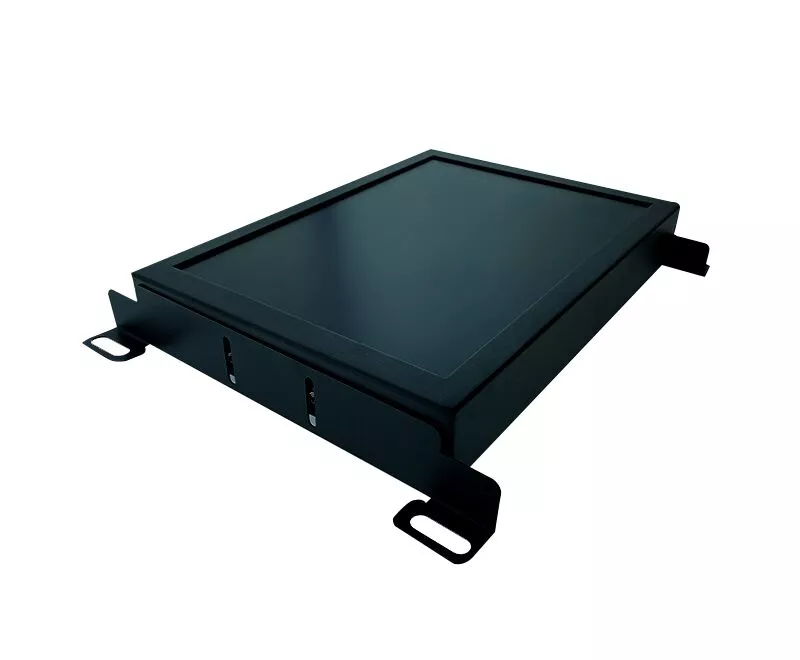
The Xycom 4810A 9-inch CRT monitor, though once a reliable display solution, has become dated in today's rapidly evolving technological landscape. CRT monitors, with their cathode ray tube technology, have limitations such as high power consumption, limited lifespan, and susceptibility to issues like flickering. Upgrading to an LCD monitor offers numerous advantages, including improved image quality, lower power consumption, and a longer operational life.
Reasons for Upgrade
1. Power Consumption
CRT monitors are notorious for their high power consumption. A typical CRT monitor like the Xycom 4810A can consume up to 150 Watts of power. In contrast, LCD monitors generally use only 20 - 50 Watts. This significant difference not only results in lower electricity bills but also aligns with the growing global focus on energy conservation. For facilities where multiple monitors are in use 24/7, the power savings from upgrading to LCD can be substantial over time.
2. Lifespan
The CRT technology in the Xycom 4810A is nearing the end of its life cycle. These monitors have a relatively short lifespan, often around 10,000 - 20,000 hours of use. As they age, the image quality deteriorates, and components become more prone to failure. LCD monitors, on the other hand, have a much longer life expectancy, often exceeding 50,000 hours. This means fewer replacements and reduced maintenance costs in the long run.
3. Image Quality
CRT monitors suffer from issues like flickering, especially at lower refresh rates. To mitigate this, the refresh rate needs to be adjusted to a high level, which is not always possible, especially for smaller-sized monitors like the 9-inch Xycom 4810A. LCD monitors, however, do not have this problem as they refresh the entire image at once rather than scanning lines like CRTs. Even at lower refresh rates such as 60Hz, LCDs provide a stable and flicker-free image. Additionally, modern LCD monitors offer higher resolutions and better color reproduction compared to the limited capabilities of older CRT monitors.
Upgrade Kits Available
T2 Industrial's LCD Upgrade Kit
T2 Industrial offers an LCD upgrade kit for the 9-inch Xycom 4810A CRT. This kit includes the MK 041, which is made of high-quality materials. It not only performs better than the original equipment manufacturer (OEM) replacement but also comes at a lower cost. By choosing this kit, users can save a significant amount of money compared to replacing the entire monitor through the original manufacturer, which could cost thousands of dollars. The kit comes with a full cable kit for a complete conversion, and it is a plug-and-play solution, meaning no re-wiring or re-programming is required. Installation is made easy with the provided installation guide.
Monitech Industrial Displays' Kit
Monitech Industrial Displays also provides an LCD upgrade kit for the Xycom 4810A. Priced at $1,045, this kit, like the one from T2 Industrial, includes the MK 041. Monitech emphasizes the advantages of their upgrade over the OEM. Their LCD monitors represent current technology with a long lifespan. They also offer quick lead times, often able to ship the product on the same day an order is placed. Similar to T2 Industrial's offering, this kit comes with an installation guide and a cable kit that is compatible with the Xycom 4810A, providing a hassle-free upgrade experience.
Installation Process
Power Off and Disconnect: First, ensure that the Xycom 4810A CRT monitor is powered off and disconnected from all power sources and any connected devices such as computers or control systems.
Remove the CRT Monitor: Carefully remove the CRT monitor from its mounting or stand. Be cautious as CRT monitors are heavy and can be damaged if dropped.
Prepare the Upgrade Kit: Open the LCD upgrade kit and check that all components, including the LCD panel, cables, and mounting hardware, are present. Familiarize yourself with the installation guide provided with the kit.
Mount the LCD Panel: Use the provided mounting hardware to attach the LCD panel in the place where the CRT monitor was previously mounted. Ensure that it is securely fastened.
Connect the Cables: Connect the cables from the LCD panel to the computer or control system according to the instructions in the installation guide. The full cable kit in the upgrade kit is designed to fit the Xycom 4810A setup, making the connection process straightforward.
Power On and Test: Once all connections are made, power on the system and test the new LCD monitor. Adjust the display settings such as resolution and brightness as needed.
Considerations After Upgrade
1. Display Settings
LCD monitors have different optimal display settings compared to CRTs. For example, while CRTs required high refresh rates to reduce flickering, LCDs work best at their native resolution. The native resolution of most modern LCD monitors is much higher than what the Xycom 4810A CRT could offer. It is important to set the display resolution to the native resolution of the new LCD monitor for the best image quality. Additionally, the color settings may need to be adjusted to suit the user's preferences and the specific requirements of the applications being used.
- OMRON
- ABB
- General Electric
- EMERSON
- Honeywell
- HIMA
- ALSTOM
- Rolls-Royce
- MOTOROLA
- Rockwell
- Siemens
- Woodward
- YOKOGAWA
- FOXBORO
- KOLLMORGEN
- MOOG
- KB
- YAMAHA
- BENDER
- TEKTRONIX
- Westinghouse
- AMAT
- AB
- XYCOM
- Yaskawa
- B&R
- Schneider
- KONGSBERG
- NI
- WATLOW
- ProSoft
- SEW
- ADVANCED
- Reliance
- TRICONEX
- METSO
- MAN
- Advantest
- STUDER
- DANAHER MOTION
- Bently
- Galil
- EATON
- MOLEX
- DEIF
- B&W
- ZYGO
- Aerotech
- DANFOSS
- Beijer
- Moxa
- Rexroth
- Johnson
- WAGO
- TOSHIBA
- BMCM
- SMC
- HITACHI
- HIRSCHMANN
- Application field
- XP POWER
- CTI
- TRICON
- STOBER
- Thinklogical
- Horner Automation
- Meggitt
- Fanuc
- Baldor
- SHINKAWA
- Other Brands
- UniOP
- KUKA
- Iba
- Beckhoff
- ADLINK
-
 Sigmatek MDD111-1 DIAS Drive Axis Module
 -
 Sigmatek DKL042 05-024-042 Terminal Module
 -
 Sigmatek DM822 Control Module
 -
 Sigmatek CDM167 12-008-167-O Module
 -
 Sigmatek TAE151 Touch Display Unit
 -
 Sigmatek DCC041 SLIDES Module 05-700-041-D
 -
 Sigmatek AKM65M-ANC2GBB0 PM Servo Motor
 -
 Sigmatek ETT221 01-230-221 Operator Terminal
 -
 Sigmatek SLIDES DAM 124 Analog Module
 -
Sigmatek AKM31C-ANCNGBB0 Servo Motor
-
 Mannesmann Demag Sigmatek CP626 Central Unit
 -
 SIGMATEK 0332.554.03 Board 371071000154
 -
 SIGMATEK 12-250-021 Base Plate Back Panel CM5V020
 -
 SIGMATEK DM162 S-DIAS Digital Mix Module
 -
 DEMAG ERGOTECH 061 381 66 Sigmatek 9842.243.02 Circuit Board
 -
 SIGMATEK CP313-1 PLC Module
 -
Sigmatek ETV0551-2 VARAN Touch Terminal
-
 Sigmatek SDM 081 FS S-Dias Safety Module
 -
 DEMAG 05-250-023 Ergotech Motherboard with Sigmatek TMS012
 -
Sigmatek CM5V020 12-250-023-K Wiring Base
-
 Sigma Tek 5000B-37 Attitude Gyro Indicator
 -
 Sigmatek SDD120-2 DIAS Drive
 -
 Sigmatek CME221 Memory Module
 -
 Sigmatek DCP640 DIAS Central Unit
 -
 Sigmatek STO040 Safety Output Module
 -
Sigmatek CET281 Control Panel
-
 Sigmatek CIPC LX800 Demag NC5 CPU
 -
 Sigmatek DKL093 05-024-093 Terminal Module
 -
 Sigmatek AI088 20-009-088 Analog Input Module
 -
Sigmatek CAI888 Analog Input Module
-
SIGMATEK CCA021 12-025-021 Analog Output Module
-
SIGMATEK 1104.579.05 Control Module
-
SIGMATEK SDI100 Digital Input Module
-
 SIGMATEK C-IPC 256MB LX800 Compact Dias
 -
 SIGMATEK 9423.090.02 Control Module
 -
SIGMATEK C-IPC 256 Power Supply 148498
-
 SIGMATEK CAI025 Analog Input Module
 -
 SIGMATEK CTO166 Digital Output Module
 -
 SIGMATEK CP112 20-004-112 Processor Module
 -
SIGMATEK CAI887 12-009-887 Safety Module
-
 Sigma-Tek 4000B-31 Directional Gyro 1U262-002-42
 -
Sigmatek C-IPC 256MB LX800 IPC Controller
-
Sigmatek C-IPC 01-450-031 Industrial PC LX800
-
Sigmatek C-IPC 256 Industrial PC Controller
-
Sigmatek CCP-531 PLC Processor Module
-
Sigmatek CDI163 Digital Input Module
-
 Sigmatek ETV0501 VARAN Terminal 12-230-0501
 -
 Sigmatek CTMS020 C-DIAS Technology Module
 -
 Sigmatek CIV512 VARAN Switch Module
 -
 Sigmatek HU011 20-080-011 Interface Module
 -
SIGMATEK SLIDES DAM 124 Module
-
 SIGMATEK C-IPC 161 01-450-161L Industrial PC
 -
SIGMATEK C-IPC 128MB VIA 733MHz 01-450-024-K
-
 SIGMATEK 12-780-012 R8-IPC Geode LX800 Module
 -
SIGMATEK CAM124 Analog Module
-
 SIGMATEK S1 032-8AF61-R4 EZ Servo Motor
 -
 SIGMATEK CTO163 Digital Output Module
 -
 SIGMATEK CCP082 12-004-082 Processor Module
 -
 SIGMATEK CRCH081 C-DIAS Temperature Module
 -
 SIGMATEK PC322-K 01-310-322-K Industrial PC
 -
SIGMATEK SDD310-2 Servo Drive
-
 SIGMATEK AI084 Analog Input Module
 -
SIGMATEK CRCH081 12-752-081 Temperature Module
-
Sigma-Tek 5000L-4 Attitude Gyro 1U284-001-3
-
 SIGMATEK CM5V020 12-250-023-K Wiring Module
 -
Sigma-Tek 4000H-6 Directional Gyro IU262-035-7
-
 SIGMATEK Dias DCP160 05-004-160 Processor Module
 -
SIGMATEK 0147.395.02 Control Module
-
SIGMATEK A1084 Control Module
-
SIGMATEK DI200 20-006-2000 Digital Input Module
-
Sigmatek DNC115 Encoder Module
-
 Sigmatek DAM122 05-017-122 Analog Module
 -
Sigmatek 9802.289.01 Control Board TA71 Display
-
Sigmatek TO127 20-007-127 Digital Output Module
-
Sigmatek DNC031 05-011-031 Digital Module
-
Sigmatek VI022 20-003-022 Interface Module
-
Sigmatek CAI085 Analog Input Module
-
 Sigmatek CP111 S-DIAS CPU Module
 -
Sigmatek CTMS030 Krauss Maffei Module
-
 Sigmatek CAM123 Control Module
 -
 Sigmatek TAE732-P 01-240-732-P Touch Display Unit
 -
Sigmatek MDM021 Digital Mixed Module
-
Sigmatek DCP642 DIAS Central Unit
-
 Sigmatek CST022 12-014-022 C-DIAS Module
 -
 Sigmatek SRO021 20-893-021 Safety Relay Output
 -
 Krauss Maffei MC5 Control System Sigmatek
 -
 Sigmatek DC061 Module 18-24VDC 300mA
 -
 Herrmann EVT0855 Ultrasonic Welder Touch Panel
 -
Sigmatek CIV521 Control Module 1.4A 2W
-
Sigmatek DDI61 05-006-161 Digital Input Module
-
SIGMATEK ETT312-E Touch Terminal 01-230-312
-
Cessna S3326-1 Sigma Tek 5000B-67 Gyro 1U149-015-9
-
SIGMATEK PS101 Power Supply Module
-
SIGMATEK 0332.554.03 Control Module 371071000154
-
 SIGMATEK ETT312-E Touch Terminal 01-230-312
 -
SIGMATEK CDM163 Control Module
-
 SIGMATEK VSV046 16-023-046 Module
 -
SIGMATEK AM221 20-017-221 Analog Module
-
SIGMATEK CTS051 12-053-051 Control Module
-
SIGMATEK AM221 20-017-221 Analog Module
-
Sigmatek CSDI161 12-891-161 Safety Input Module
-
Sigma Tek 4000C-1 Directional Gyro Indicator
-
Sigmatek ETV0501 12-230-0501 VARAN Terminal
-
Sigmatek DDM165 SLIDES Module
-
Sigmatek N100 20-011-100 Control Module
-
Sigmatek AKM54K-ANC2R-B0 PM Servo Motor
-
Sigmatek CTO166 Digital Output Module
-
Sigmatek CP212-K 20-004-212-K CPU Module
-
Sigmatek CDI161 Digital Input Module
-
Sigmatek DCC080 05-700-080-2 Control Module
-
 SIGMATEK SCP011 S-DIAS Safety CPU
 -
SIGMATEK SCP011 S-DIAS Safety CPU
-
SIGMATEK SRO022 Relay Output Module
-
SIGMATEK MDD 121 Drive Axis Module
-
SIGMATEK DSI021 SLIDES Siemens Interface
-
SIGMATEK DIAS DCP161 Module 05-004-161
-
 Sigmatek ETT312 Built-in Touch Terminal
 -
SIGMATEK DCP 643 DIAS Controller System
-
SIGMATEK CIO021 Multi I/O Module
-
SIGMATEK CTMS020 Control Module
-
 Sigmatek CME 221 Memory Module
 -
Sigmatek 0420.615.01 Control Board
-
Sigmatek CP111 20-004-111 CPU Module
-
Sigmatek 9405.065.03 Control Board
-
Sigmatek ETEK 01-450-032-K C-IPC 256MB Industrial PC
-
Sigmatek CTO163 12-007-163 Safety Output Module
-
Sigmatek TO081 20-007-081 Digital Output Module
-
 Sigmatek SI021 20-022-021 Safety Input Module


